•

Nerissa Goedhardt

Nerissa Goedhart

DJI Dock 2, Dock 3 and Dock 4 compared: which one fits your operation

Banner showing a side-by-side comparison of DJI Dock 2, DJI Dock 3, and DJI Dock 4 by AirHub.

DJI's dock range now runs to four generations, and the newest is not automatically the right one. This comparison covers the three currently worth considering for a new deployment: Dock 2, Dock 3 and Dock 4. The original Dock, which carries the Matrice 30 series, is out of production and left out for that reason. DJI still supports the aircraft, released new firmware for it in August 2026 and has not announced a replacement, so an existing Dock 1 programme is not stranded. The three carry different aircraft that do not interchange, they deploy differently, and the cheapest to install is still the best answer for a particular kind of job.

Here is how they compare, and what each one means for the way you actually run an operation.

The specifications side by side


Dock 2

Dock 3

Dock 4

Aircraft

Matrice 3D / 3TD

Matrice 4D / 4TD

Matrice 5TD

Turnaround

Charge 32 min, 20% to 90%

Charge 27 min, 15% to 95%

Battery swap, 25 seconds

Flight time

50 min

54 min

Up to 59 min

Hover time

40 min

47 min

Not published at launch

Dock weight

34 kg

55 kg

Not published at launch

Ingress rating

Dock IP55, aircraft IP54

Dock IP56, aircraft IP55

Not published at launch

Operating temperature

Dock -25°C to 45°C

Dock -30°C to 50°C

Dock -40°C to 50°C

Wind

Operation 12 m/s, landing 8 m/s

Operation and landing 12 m/s

Operation, landing and take-off 12 m/s

Deployment

Fixed, relocatable

Fixed or vehicle-mounted

Fixed at launch

Transmission

O3 Enterprise

O4+ Enterprise

O4, paired with the O4 Ground Station in obstructed environments

Charging figures are DJI's, measured at 25°C. Flight times are DJI's maximums under ideal conditions, and real missions come in shorter on all three.

Dock 2: the one you can move

At 34 kg the Dock 2 is the only one of the three a small team can relocate without planning the move. That matters more than it sounds. A dock covering a construction site, a seasonal risk area or a temporary deployment is a different proposition from one bolted to a roof for five years.

It is also the lightest installation. Less weight on the structure, simpler mounting, lower cost to put in place and lower cost to take out again.

What you give up is the range of weather it can work in, and the turnaround. The dock stops working below -25°C, the aircraft lands in up to 8 m/s of wind against 12 m/s on the newer docks, and a 32-minute charge is the longest gap of the three.

Best for: temporary and relocatable deployments, sites where installation cost matters more than continuous availability, and programmes still proving the concept.

Dock 3: the one that comes with you

Dock 3 mounts on a vehicle, and two of them can run from one vehicle. For a response unit, a mobile command post or an event operation, the coverage goes where the vehicle goes. It also fixes in place like the others, so one dock covers both and you can decide later.

It handles worse weather than Dock 2, operating from -30°C and landing in 12 m/s of wind, and it carries the Matrice 4D or 4TD with their longer endurance and better transmission.

Best for: mobile operations, event coverage, and fixed sites in harsher climates where the Dock 2's temperature and wind limits are too tight.

Dock 4: the one that does not stop

Every dock before this one recharged the pack inside the landed aircraft, so answering one call took the dock out of service for around half an hour. That window is when the second call arrives.

Swap the pack instead and availability stops being the constraint. Over an eight-hour shift, a cycle of twenty minutes flying plus a thirty-minute charge gives you around nine sorties. Twenty minutes flying plus a twenty-five-second swap gives you more than double that.

The thermal camera took the same kind of step. The Matrice 4TD carries a 640×512 thermal sensor and the Matrice 5TD doubles that in both directions to 1280×1024, which is four times the pixels on the same scene. For search and rescue, or for finding someone who would rather not be found, that is the difference between spotting a heat signature and being able to tell what you are looking at.

It also works in colder weather, down to -40°C, and flight time goes to 59 minutes. The aircraft carries a Flight Termination System, which DJI describes as a key technical requirement for C6 compliance. That matters in Europe, because C6 is the class marking required for STS-02, the standard scenario that runs on a declaration to your national authority rather than a full operational authorisation. Whether a given configuration actually holds C6 marking is a question for the manufacturer and your authority, and it is worth asking early because it shapes your timeline.

Best for: programmes where a gap in coverage is the thing you are trying to eliminate, which in practice means Drone as First Responder and continuous perimeter patrol.

What this means per use case

Public safety. Response programmes live or die on availability during busy periods, so Dock 4 is the obvious fit for a fixed site. Dock 3 stays relevant for mobile work, where a dock on a vehicle covers a large incident or a planned event and moves on afterwards.

Security. Patrol intervals have been set by the charge cycle. Dock 4 removes that, so the interval follows the risk assessment instead. For a site that needs coverage only during certain seasons or phases, Dock 2 remains the pragmatic choice because you can move it.

Critical infrastructure. Inspection work is usually scheduled rather than reactive, so the charge gap costs less here than elsewhere. The decision tends to come down to the aircraft and its sensors, the operating temperature range at the site, and whether the dock needs to move between assets.

The part that does not change

The three docks carry three different aircraft, and they do not interchange. A Matrice 3D does not fly from a Dock 3, and a Dock 4 means a Matrice 5TD. So a hardware decision today locks in an aircraft generation for as long as that dock is in service.

Your software layer should not add a second lock on top of that. AirHub is hardware agnostic by design, so the way you plan a mission, watch a live feed, manage a fleet and produce a flight record stays the same across docks, aircraft and generations. When you replace a dock in three years, the operation around it carries over.

AirHub supports DJI Dock 2, Dock 3 and Dock 4 for automated dock operations, so the choice of dock stays a hardware decision and nothing in your workflow changes with it.

Underneath whichever dock you choose: repeatable mission planning so a patrol or a response flies the same way every time, live operations and a shared picture in the Drone Operations Centre, fleet management across aircraft, docks and pilots, and a flight record that holds up when an authority asks.

Choosing

Start from the operation, not the specification sheet. If coverage must be continuous, Dock 4. If it has to move, Dock 2 for a site and Dock 3 for a vehicle. If the site is cold, check the temperature row before anything else.

Then check the authorisation route, because that sets your start date more reliably than procurement does. Our public safety and security pages set out how the platform supports each stage, and our regulatory consultancy team works through the authorisation itself with operators.
Ready to see AirHub in action?

Book a demo and find out.

Related articles

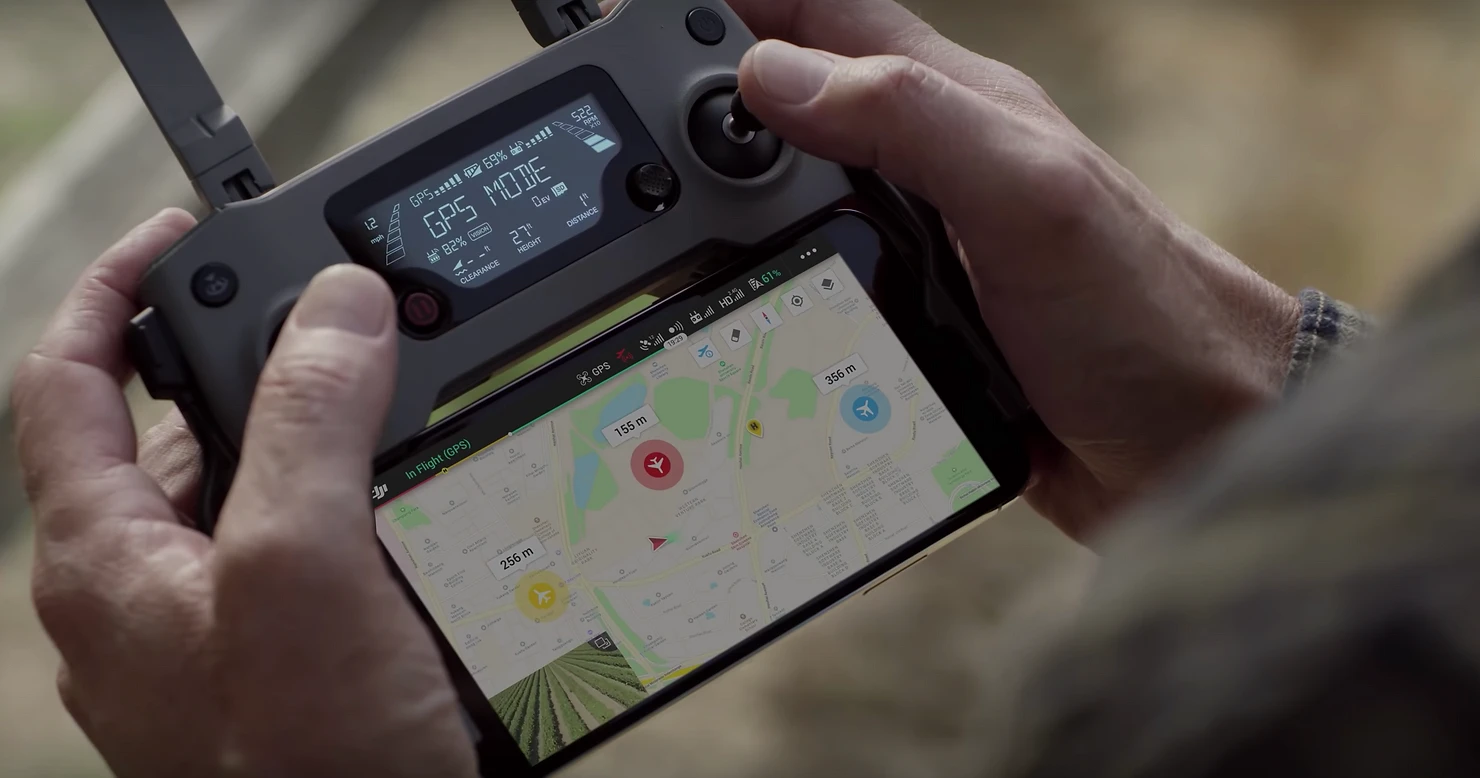
A DJI controller with AirHub's Ground Control app

Content

Specific Operations Risk Assessment for Drone Operators

What is a SORA risk analyses and how can it help you in setting up an Operating Manual for your drone operation in the Specific Category?

The Specific Operations Risk Assessment (#SORA) was developed by JARUS (the Joint Authorities for Rulemaking on Unmanned Systems) to provide drone operators a methodology for the risk assessment required to apply for an authorization to operate an Unmanned Aircraft System (#UAS) within the specific category.

The SORA proposes risk barriers to prevent the operation from going out of control and provides harm barriers in case the operation does get out of control (e.g. an emergency response plan). The SORA process starts with defining an operational volume by the operator in which the drone operation takes place. This operational volume is related to airspace adjacent to it and the surrounding area on the ground. The SORA includes both a Ground Risk Model and an Air Risk Model to determine risks to the surrounding area and the adjacent airspace, and to propose mitigating measures that can decrease those risks.

The SORA provides drone operators with the risk assessment methodology required to support the application for an authorization of a drone operation in the Specific Category.

In this article we will tell you more about the methodology behind the SORA and how this can help you set up an Operating Manual for your drone operation.


The Concept of Operations (ConOps)

The first step in the SORA process is describing the Concept of Operations (#ConOps) for the drone operation that you want to carry out. This ConOps requires you to collect and provide sufficient technical, operational and human information related to the intended use of the UAS. The ConOps should not only be a description of your operation but also provide insight into the operational safety culture at the organisation.

Basically you will need to describe the who's, what's and where's of the operation that you intend to carry out. For this you will need information about the drone and supporting equipment that will be used, you will need to know who will pilot the drone (and what his/her qualifications are), how the organisation will make sure that the operation is conducted safely and where the operation will take place (e.g. the airspace classification and the area that will be overflown).


Determining the Ground Risk Class (GRC)

The UAS ground risk relates to the unmitigated risk of a person being struck by the drone (in case of loss of control) and is represented in the SORA by eleven Ground Risk Classes (#GRC). The initial GRC is derived only from the dimensions and kinetic energy of the drone, the type of operation (#VLOS or #BVLOS) and the operational scenario (operations over an unpopulated or populated area, if the area is controlled or if the area includes a gathering of people).

The unmitigated risk of a person being struck by the UAS can be controlled and reduced by means of mitigations. This can, for example, be done by having an effective Emergency Response Plan (#ERP) in place. It is also possible to reduce the GRC by the limiting the effect of the ground impact of the drone by installing an emergency parachute. A third option is to have effective technical containments in place (e.g. active geofencing).

Each risk mitigation (or lack off) provides the you with a factor (+1 to -4) that can be added to the initial GRC to determine the final Ground Risk Class. When the final GRC is determined, the next step is to look at the air risks for the operation.


Determining the Air Risk Class (ARC)

The Air Risk Class (#ARC) is a generalised qualitative classification of the rate at which a drone would encounter a manned aircraft in a typical civil airspace. It provides an initial indication of the collision risk for the airspace, before mitigations are applied. The ARC can found by answering questions in the SORA flow chart about the altitude of the operation, if the operation is in controlled or uncontrolled airspace, if the operation takes place near an airport and if urban or rural areas are overflown.

The flow chart will tell the you what the initial ARC (A - D) is for the intended operation. However, the ARC is a generalised classification, so you - the operator could - consider that the qualification is too high for the conditions within the intended operational volume. If this is the case you can apply strategic and tactical mitigations to lower the ARC.

Strategic mitigation generally consists of procedures and operational restrictions aimed at mitigating risk by reducing the drones encounter rate, or time of exposure, prior to take-off. Strategic mitigations are divided between mitigation which can be controlled by the operator (strategic mitigation by operational restrictions) and those which cannot (strategic mitigation by structures and rules).

Tactical mitigation generally consists of mitigations that are applied after takeoff and take the form of a “mitigating feedback loop.” A mitigating feedback loop is a dynamic system employed to reduce the rate of collision by continuously modifying the geometry and dynamics of aircraft in conflict in an airspace, based on updated aircraft conflict information such as air traffic control (#ATC) traffic alert and collision avoidance system (#TCAS), unmanned traffic management (#UTM and See and Avoid (VLOS).

The Air Risk Class can be reduced by applying strategic and tactical mitigations.

After applying the strategic and tactical mitigations, the final ARC can be determined. Based on the final ARC objectives can be formed to prevent an infringement of the adjacent airspace next to the operational volume. The finial ARC in combination with the final GRC will also determine the Specific Assurance and Integrity Levels based on which Operational Safety Objectives are formed.


What are SAIL and OSO?

Specific Assurance and Integrity Levels (#SAIL) is the chosen parameter in the SORA methodology to consolidate the ground and air risk analysis. The level of confidence represented by the SAIL is not quantitative but instead corresponds to objectives that need to be complied with, descriptions of the activities that might support the compliance with those objectives and evidence to indicate the objectives have been satisfied.

Based on the SAIL (levels I - VI) Operational Safety Objectives (#OSO) are determined for barriers and mitigations to different threats, such as a technical issue with the UAS, a deterioration of external supporting systems, human error and adverse operating conditions. These OSO's basically describe the requirements for the operators organization, the drone and the pilot.

For the pilot requirements will be set on the knowledge and skill-levels he has to possess. These can be obtained by taking the right theoretical and practical drone training. Having the right drone and equipment is crucial for conducting a safe operation, the OSO also describe the requirements for the technical assessment of the drone, equipment and service. The organisation itself needs a SORA compliant Operating Manual to have the right procedures in place to safely and efficiently perform its drone operations.


Writing a SORA compliant Operating Manual

A professional Operating Manual is essential in setting up a safe and efficient drone operation. At AirHub we have written Operating Manuals for many different organisations in various industries. And although every organisation and drone operation is different, we have identified a number of need-to-haves for a SORA compliant Operating Manual.

A professional Operating Manual is essential to setting up a safe and efficient drone operation.

The first requirement is to make sure that your manual is properly structured to clearly distinguish general information from your operating procedures and other sections. At AirHub we use a format derived from traditional aviation manuals for this. It is also important to clearly describe the organisation behind your flight operation and the assigned responsibilities. A third requirement is to provide enough technical information about the drones, equipment and services used for your operation and maintenance requirements that apply to it.

The core of you operating manual will be the procedures that have to be applied by your personnel. It is very important to develop clear and easy to use standard operating procedures (#SOPs) for all actions from flight planning to post flight data processing. You will have to make sure that all mitigating measures stemming from your SORA analyses are incorporated in your normal, abnormal and emergency procedures.

The last requirement is to provide your personnel with all documentation needed to perform a mission. Make sure they have easy acces to all checklists, forms, etc. A professional Drone Operations Management System will save you lots of time and money with this.


How AirHub can help

At AirHub we have guided many organisations across various industries with setting up a safe, efficient and compliant drone operation. Contact us to take advantage of the experience and expertise of our consultants. They will guide you in applying the SORA risk analyses methodology and in setting up an operating manual specific to your operation. And with our AirHub Drone Operations Management platform you will be able to gain a comprehensive insight into your drone operation.

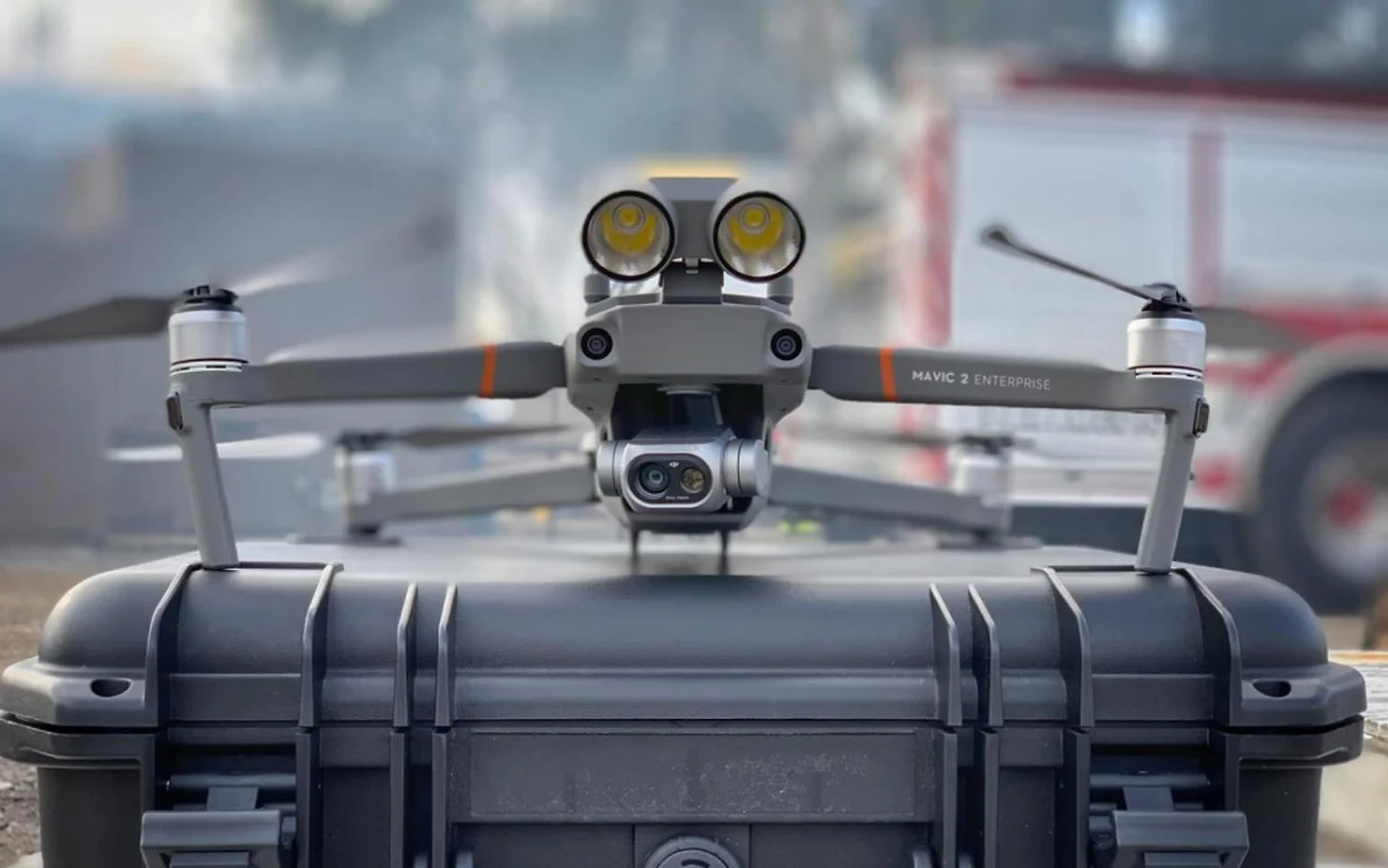
An enterprise drone with spotlight attachment on its carrying case

Content

DJI Mavic 2 Enterprise - Drone Starter Package

Save time and money by getting the right drones, tools, software and more with our Drone Starter Packages specifically composed for your type of operation.

Setting up a professional drone program at your company is no easy task. What is the right drone for the job? Which #software do we use to process the data? How do we stay compliant with national and local regulations? We will help you answer these questions and get an instant return on investment on your drone program.


The DJI Mavic 2 Enterprise

Whether you want to perform search and rescue missions, fight fires or inspect industrial assets such as bridges power lines or cell towers, the DJI #Mavic 2 Enterprise is the perfect companion for almost any mission. The standard version of the Mavic 2 Enterprise comes with a powerful 12MP camera with 2x optical and 3x digital zoom that is great for close up inspection purposes. The Mavic 2 Dual is equipped with an optical and FLIR thermal camera that can be used for both visual and thermal inspections. Both aircraft can also be fitted with optional accessoires such as a spotlight, a speaker and a beacon. The Mavic 2 Enterprise series aircraft are equipped with advanced safety features such as ten sensors that prevent a collision with objects and comprehensive data encryption.

At AirHub we will provide you with the version of the Mavic 2 Enterprise that exactly suits your needs and deliver it with a professional tablet including our Drone Operations Management software. We will also make sure you have all the additional accessoires and equipment you need to perform consistent, low risk operations. And all our M2E drones come with a 12 moth replacement warranty and the possibility to enjoy our maintenance service, so you will never have to worry about operational availability.

Choosing the right drone is essential for the succes of your operation.


Software that matches the hardware

By using the right processing software, you can turn the #data you have captured into actual value. It does not matter if you are in #agriculture, #construction or #inspection. We will provide you with the third-party software needed to create #3D models, high resolution maps, #NDVI analyses and more. And with the AirHub Drone Operations Management Software you will be able to safely and easily get airspace intelligence, plan and track your flights with #UTM connectivity and manage your fleet, teams and maintenance.

Use AirHub to fly safe and stay compliant with national regulations.


Get trained and get certified

Buying the right drones and software is just the beginning. In order to create a safe, efficient and compliant drone operation you want to provide your crews with comprehensive ground and flight training on your standard operating procedures (#SOPs) and flight scenarios. AirHub will guide you in this with setting up an Operations Manual and by assisting you with the application for the necessary #waivers and #certificates for your operation. Once your operation is up and running we will also be there to support you if any questions arise. As an operations manager you can use the AirHub Drone Operations Management platform to schedule maintenance, check the currency of your crew, provide them with the necessary documentation and much more.


How AirHub can help

At AirHub we have guided many organisations across various industries with setting up a safe, efficient and compliant drone operation. Contact us to take advantage of the experience and expertise of our consultants and trainers. They can help you select the right drones and software, write your standard operating procedures and operations manual and set up your training program and company certification. And with our AirHub Drone Operations Management platform your managers will be able to gain a comprehensive insight into their flight operation.

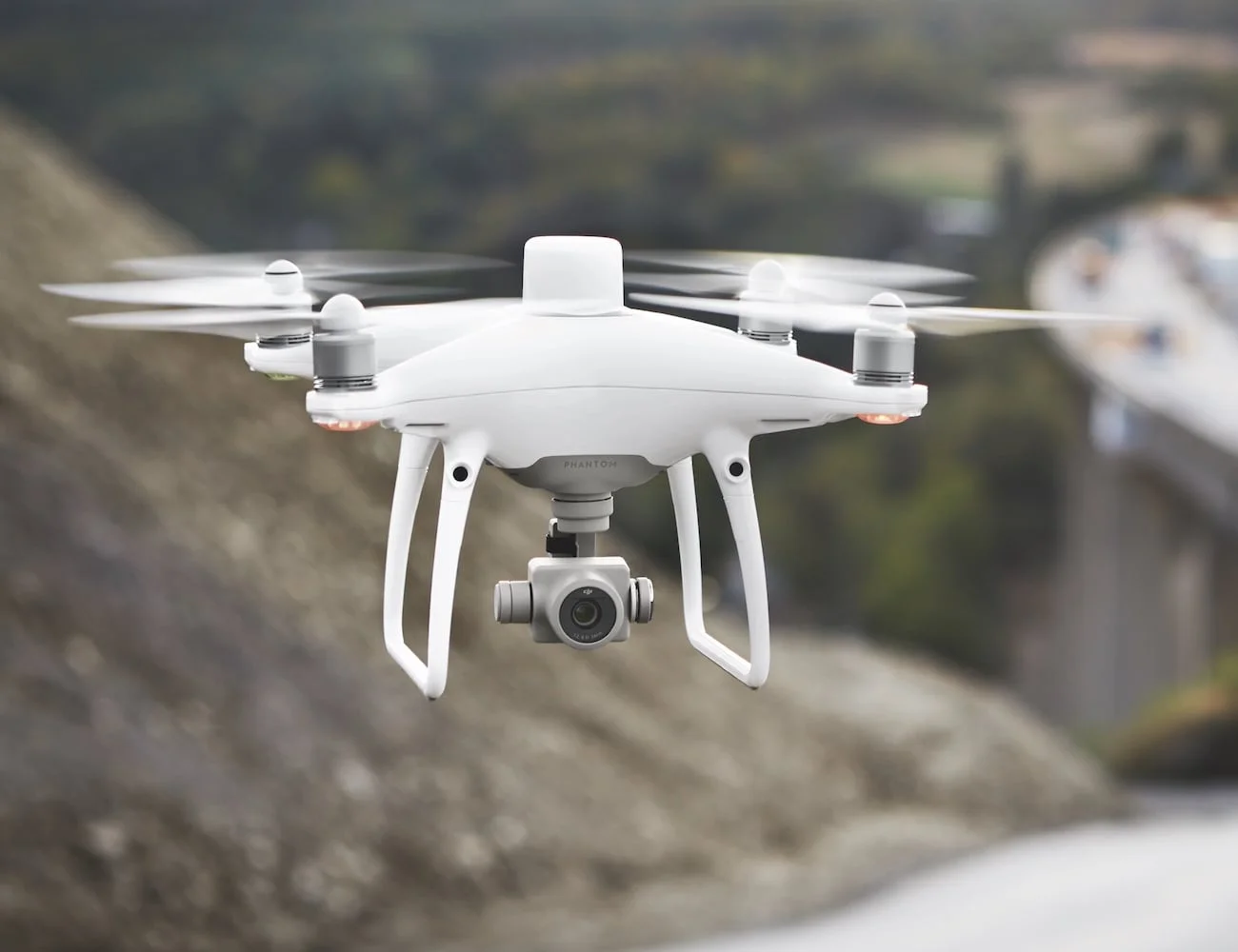
A DJI Phantom 4 with the new RTK module on top making it 100x more accurate than GPS

Content

DJI Phantom 4 RTK - Drone Starter Package

Save time and money by getting the right drones, tools, software and more with our Drone Starter Packages specifically composed for your type of operation.

Setting up a professional drone program at your company is no easy task. What is the right drone for the job? Which #software do we use to process the data? How do we stay compliant with national and local regulations? We will help you answer these questions and get an instant return on investment on your drone program.


The DJI Phantom 4 RTK

If you want to perform highly accurate mapping mission, the DJI #Phantom 4 RTK is the tool you need. The #RTK module - in combination with the optional D-RTK GNSS Mobile Station - provides real-time, centimeter-level positioning data for improved absolute accuracy on image metadata while requiring fewer ground control points. A redundant GNSS module is installed to maintain flight stability in signal-poor regions such as dense cities. Combining both modules, the Phantom 4 RTK is able to optimize flight safety while ensuring that the most precise data is captured for complex surveying, mapping and inspection workflows.

The OcuSync Transmission System provides stable and reliable HD image and video transmission at distances of up to 7 km, great for mapping larger sites. The new TimeSync system continually aligns the flight controller, camera and RTK module and hereby ensures that each photo uses the most accurate metadata and fixes the positioning data to the center of the 20 megapixel CMOS camera sensor – optimising the results from photogrammetric methods and letting the image achieve centimeter-level positioning data.

At AirHub we can provide you with a ready to fly Phantom 4 RTK and optional D-RTK GNSS Mobile Station and deliver it with a professional tablet including our Drone Operations Management software. We will also make sure you have all the additional accessoires and equipment you need to perform consistent, low risk operations. And all our M2E drones come with a 12 moth replacement warranty and the possibility to enjoy our maintenance service, so you will never have to worry about operational availability.

Choosing the right drone is essential for the succes of your operation.


Software that matches the hardware

By using the right processing software, you can turn the #data you have captured into actual value. It does not matter if you are in #agriculture, #construction or #inspection. We will provide you with the third-party software needed to create #3D models, high resolution maps, #NDVI analyses and more. And with the AirHub Drone Operations Management Software you will be able to safely and easily get airspace intelligence, plan and track your flights with #UTM connectivity and manage your fleet, teams and maintenance.

Use AirHub to fly safe and stay compliant with national regulations.


Get trained and get certified

Buying the right drones and software is just the beginning. In order to create a safe, efficient and compliant drone operation you want to provide your crews with comprehensive ground and flight training on your standard operating procedures (#SOPs) and flight scenarios. AirHub will guide you in this with setting up an Operations Manual and by assisting you with the application for the necessary #waivers and #certificates for your operation. Once your operation is up and running we will also be there to support you if any questions arise. As an operations manager you can use the AirHub Drone Operations Management platform to schedule maintenance, check the currency of your crew, provide them with the necessary documentation and much more.


How AirHub can help

At AirHub we have guided many organisations across various industries with setting up a safe, efficient and compliant drone operation. Contact us to take advantage of the experience and expertise of our consultants and trainers. They can help you select the right drones and software, write your standard operating procedures and operations manual and set up your training program and company certification. And with our AirHub Drone Operations Management platform your managers will be able to gain a comprehensive insight into their flight operation.